Otter Alternatives: Best AI Meeting Tools for Teams

Why Teams Are Switching From Otter.ai
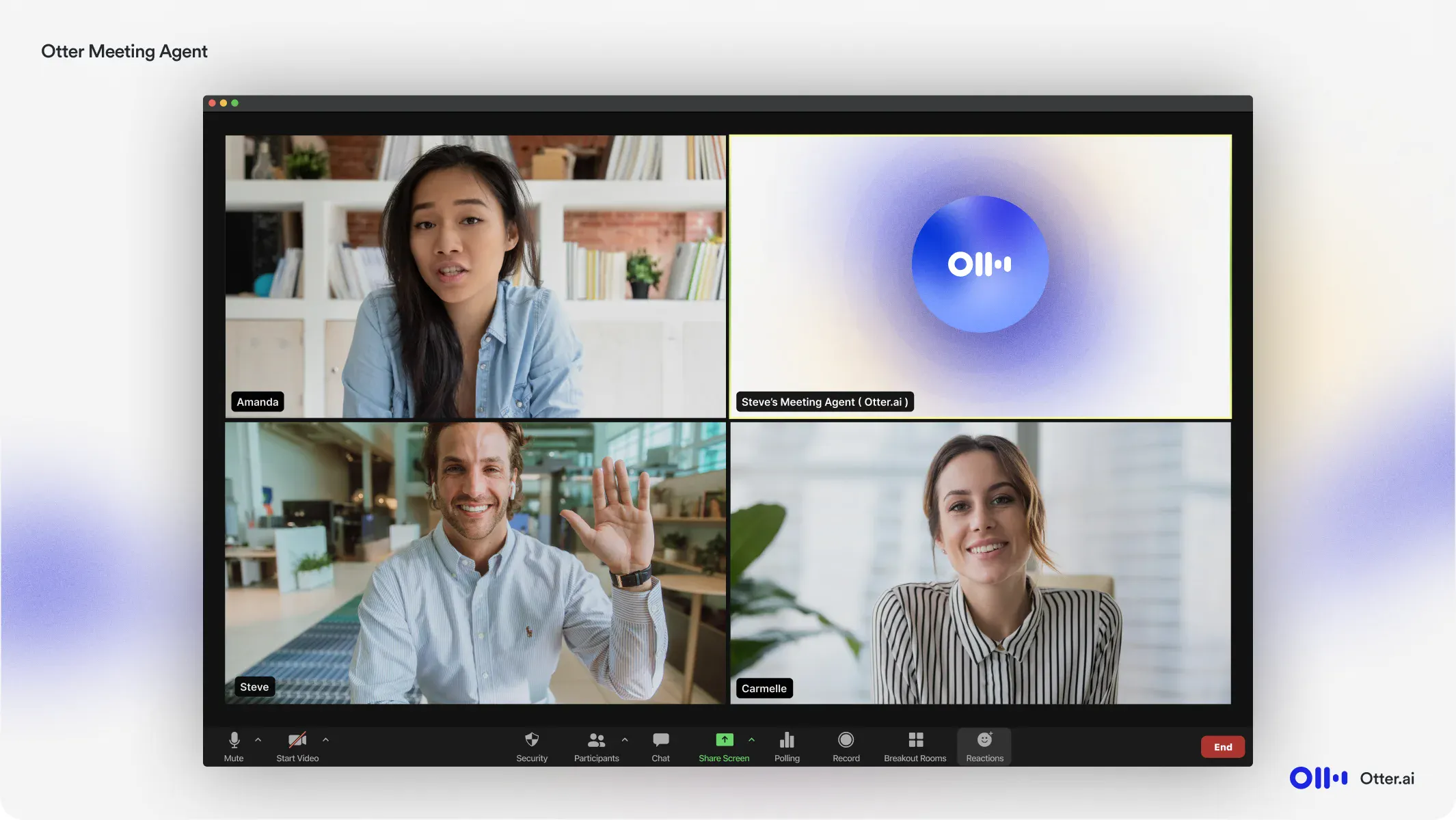
Otter.ai pioneered the AI meeting assistant category, but many teams now find its bot-centric approach disruptive and its feature set insufficient for collaborative workflows. According to recent AI meeting tools research, many companies cite "meeting participant discomfort with visible bots" as a primary reason for exploring alternatives.
The core frustrations cluster around three areas: Otter's AI assistant joins meetings as a visible participant, creating awkward dynamics with clients and executives who question why "another person" is present. Teams also struggle with limited integration capabilities—while Otter transcribes well, it doesn't automatically route insights to CRM systems or project management tools where work actually happens. Finally, the platform's collaboration features lag behind newer solutions designed for automated meeting workflows from the ground up rather than bolted onto a transcription engine.
1. Grain — Best for Teams Who Want Video Clips Without the Bot
.avif)
Grain stands out among AI alternatives by recording directly from your desktop rather than sending a bot into your meetings. This approach eliminates the awkward "recording bot has joined" announcements that can make clients and external stakeholders uncomfortable.
The platform automatically captures transcripts, generates summaries, and creates shareable video clips without disrupting the meeting flow. Teams using tools like Grain can highlight key moments and share 30-second clips with context, making post-meeting collaboration more efficient than reviewing full recordings.
According to comprehensive AI meeting tool comparisons, Grain's clip-sharing functionality particularly appeals to sales teams coaching reps and product teams gathering user feedback. The desktop recording approach also means better reliability—no failed bot connections or missing recordings when permissions change.
Why Choose Grain Over Otter
Grain addresses the core friction many teams experience when searching for Otter.ai alternatives: the disruptive bot presence. While Otter sends a visible participant into every meeting, Grain records directly from your desktop, creating a more natural experience for clients and external partners.
The desktop recording approach also means you're not limited to Zoom, Google Meet, or Microsoft Teams. Grain captures anything on your screen—from Webex to customer demos to internal training sessions—without platform restrictions.
For teams prioritizing conversation intelligence tools, Grain shines with video highlight reels that transform hour-long calls into shareable 30-second clips. Sales teams use this to share customer objections with product teams, while customer success managers create onboarding libraries from support calls—something Otter's text-first interface struggles to support effectively.
Where Otter Wins
Despite exploring alternatives, Otter excels in specific scenarios. According to industry comparisons, Otter's live transcription accuracy remains industry-leading, particularly for conversational English without heavy technical jargon. Its free tier serves solo users and small teams—600 monthly minutes with no credit card required—making it accessible for occasional meeting documentation.
Otter's competitive advantages include:
- Real-time collaboration: Multiple attendees can edit transcripts simultaneously during meetings
- Mobile-first design: The iOS and Android apps provide seamless on-the-go recording
- Speaker identification: Advanced voice recognition learns and differentiates participants over time
- Integration depth: Native connections with Zoom, Google Meet, and Microsoft Teams streamline workflows
However, these strengths come with trade-offs. Teams requiring advanced video clip creation or those bothered by bot presence may find alternatives better suited to their workflow. The platform works best for organizations prioritizing transcription accuracy over video collaboration features.
2. Fireflies.ai — Best for Budget-Conscious Teams
Fireflies.ai emerges as a compelling choice for teams prioritizing affordability without sacrificing core functionality. According to feature comparisons, Fireflies offers unlimited transcription starting at $10/user/month—significantly undercutting Otter's $16.99 premium tier while delivering comparable accuracy.
The platform integrates seamlessly with video conferencing tools and CRMs, automatically capturing meeting conversations and generating searchable transcripts. Teams particularly appreciate Fireflies' conversation intelligence features, which track talk time, detect action items, and surface key moments without manual tagging. However, the interface can feel cluttered compared to more streamlined alternatives, and some users report occasional lag during live transcription.
For startups and small teams managing tight budgets, Fireflies delivers essential meeting intelligence at an accessible price point—making it ideal when cost considerations outweigh the need for premium polish.
3. Fathom — Best Free Option for Individuals
Fathom stands out among alternatives that offer unlimited free transcription, making it ideal for solopreneurs, consultants, and individuals who don't need enterprise features. According to comparative analyses, Fathom provides AI-powered meeting notes at zero cost—a rare proposition in the meeting assistant space.
The platform excels at capturing Zoom meetings with minimal setup. Users appreciate its clean interface and ability to generate concise summaries without overwhelming details. However, Fathom's free tier focuses primarily on individual use cases, lacking robust team collaboration tools or advanced integrations available in more comprehensive platforms.
Truly free unlimited transcription makes Fathom compelling for budget-conscious professionals. The catch? Teams needing cross-platform support, CRM integrations, or advanced analytics will quickly outgrow what Fathom offers. It's the perfect starting point for individuals testing AI meeting tools before committing to paid solutions.
4. tl;dv — Best for International and Multi-Language Teams
tl;dv distinguishes itself by supporting over 30 languages with native transcription accuracy, making it ideal for distributed teams operating across regions. According to Bitrix24, tl;dv's multilingual capabilities extend beyond basic translation to include sentiment analysis and keyword detection in each supported language.
The platform integrates seamlessly with Google Meet and Zoom, automatically recording and transcribing meetings while generating AI-powered summaries that highlight action items and key decisions. Teams working across time zones particularly benefit from tl;dv's timestamped video clips, which allow colleagues to quickly review specific segments without watching entire recordings.
What sets tl;dv apart is its focus on asynchronous collaboration—team members can comment directly on transcript segments, tag colleagues, and create shareable highlight reels. The free tier offers unlimited recordings and transcriptions for meetings under five hours. However, advanced features like CRM integration and custom vocabulary require paid plans starting at approximately $25 per user monthly.
For revenue teams spanning multiple markets, tl;dv's conversation intelligence features analyze speaking patterns and engagement metrics across different languages, providing insights that help refine global sales approaches.
5. Avoma — Best for Revenue Teams Wanting Conversation Intelligence
Avoma targets sales, customer success, and revenue teams seeking conversation intelligence capabilities beyond basic transcription. The platform analyzes customer conversations to surface deal risks, track competitive mentions, and identify buying signals across the sales cycle.
Unlike general-purpose Otter alternatives, Avoma focuses specifically on revenue-critical workflows. The platform scores conversations, tracks key topics, and generates CRM field suggestions automatically—functionality essential for quota-carrying teams.
However, this specialization comes at a premium price point starting around $19/user/month, making Avoma less suitable for non-revenue functions. Teams outside sales may find the revenue-specific features unnecessary and the cost difficult to justify compared to general alternatives.
6. Read.ai — Best for Cross-Platform Meeting Analytics
Read.ai excels at aggregating meeting data across platforms—Zoom, Teams, Meet—making it ideal for organizations with fragmented tech stacks. Unlike traditional transcription tools that focus solely on capturing words, Read.ai analyzes participation patterns, speaking time ratios, and engagement signals across your entire meeting ecosystem.
The platform's standout feature is its cross-meeting analytics dashboard, which surfaces trends like who dominates conversations, which topics generate discussion, and how team dynamics shift over time. According to Fellow's comparison of transcription tools, Read.ai processes meeting data from multiple conferencing tools simultaneously—valuable for hybrid teams using different platforms departmentally.
Read.ai works particularly well for managers tracking team communication health or executives wanting organizational-level meeting insights. However, its analytics focus means less emphasis on detailed transcription accuracy, making it better suited as a complementary analytics layer rather than a primary transcription solution.
7. Clari Copilot — Best for Enterprise Sales Execution
Clari Copilot (formerly Wingman) serves enterprise sales organizations requiring deep revenue execution analytics beyond basic transcription. Unlike free alternatives, Copilot operates as a premium conversation intelligence platform designed for complex sales cycles.
The platform automatically captures seller-buyer interactions across calls, emails, and meetings, then surfaces deal risks through AI-powered analysis. According to industry comparisons, Clari Copilot stands out for its native integration with Salesforce and revenue forecasting capabilities—making it particularly valuable for organizations already using the Clari revenue platform.
However, the enterprise focus comes with significant drawbacks. Pricing typically starts at $100+ per user monthly, and implementation requires dedicated IT resources. Smaller teams often find the complexity overwhelming when they simply need meeting documentation rather than full revenue intelligence infrastructure.
The Bot Problem: Why It Matters More Than You Think
One pattern worth calling out: nearly every Otter alternative on this list uses bot-based recording. A bot joins your meeting as a participant, records the conversation, and processes it after the fact.
For internal team meetings, this is usually fine. But for customer-facing calls, sales conversations, interviews, and sensitive discussions, a visible bot creates friction:
- Customers notice. A bot joining a sales call changes the dynamic. Some prospects explicitly ask for it to be removed.
- Candidates get nervous. In interviews, a recording bot can make candidates more guarded.
- It signals distrust. In some organizational cultures, a recording bot feels like surveillance.
This is why Grain’s desktop capture approach matters. By recording through your desktop rather than joining as a bot, the recording is invisible to other participants (with appropriate consent and disclosure, of course). You get the same output — transcripts, summaries, video — without the social friction.
It’s not a concern for every team, but if your use case involves external-facing conversations, it’s worth weighing.
How to Choose the Right Otter Alternative
Selecting the right AI meeting tool depends on three core factors: team size, integration requirements, and budget constraints. Before searching for an Otter.ai coupon code to reduce costs, evaluate whether Otter's limitations justify staying with the platform at all.
Start by assessing your tech stack. If your team lives in Salesforce or HubSpot, tools like Grain or Clari Copilot offer native synchronization that Otter doesn't match.
Bot visibility matters more than most teams realize. Companies with strict client confidentiality requirements should prioritize botless solutions. One practical approach is running a two-week trial where participants rate both meeting quality and note accuracy—the tool that maintains both deserves your investment.
For budget-conscious teams, free alternatives exist with surprisingly robust features. However, free tiers often mean limited recording hours or basic transcription. Calculate your monthly meeting volume first: teams conducting 50+ hours of calls typically find paid plans deliver better per-hour value than constantly managing free-tier restrictions.
FAQ
How do Otter alternatives compare in terms of pricing?
Most alternatives compare favorably on cost. Fireflies starts at $10/month versus Otter's $16.99, while Fathom offers unlimited recording free. Enterprise teams find Gong and Chorus justify premium pricing through revenue intelligence features Otter lacks.
Which alternative works best for small teams?
Fathom leads for teams under 10 people with its free unlimited tier and instant meeting summaries. For slightly larger groups, Grain's collaborative video library provides better knowledge sharing than Otter's text-focused approach.
Can I switch from Otter without losing data?
Most platforms support importing existing transcripts. However, migration complexity varies—Fireflies and Grain offer straightforward CSV imports, while others require manual transfer. Export your Otter data before your subscription ends to avoid access issues.
Do these tools work with Microsoft Teams?
All major alternatives integrate with Teams except Fathom, which focuses exclusively on Zoom and Google Meet. Grain, Fireflies, and Avoma provide native Teams support with similar bot functionality to their Zoom implementations.
Is Otter.ai still worth using in 2026?
Otter.ai remains a solid choice for basic transcription needs, particularly for individuals and small teams prioritizing simplicity over advanced features. The platform continues to excel at real-time transcription accuracy and offers a generous free tier that captures up to 300 monthly minutes—adequate for occasional users.
However, several limitations have become more apparent as competitors evolved. Otter lacks offline transcription capabilities, meaning teams without reliable internet connectivity face significant disruptions. The platform also trails behind alternatives in conversation intelligence features, with basic keyword highlighting but limited sentiment analysis or automated deal insights that sales teams increasingly expect.
Otter's value proposition centers on straightforward transcription at competitive pricing. Teams needing only meeting records without sophisticated analytics or CRM integrations will find it sufficient. One practical approach is evaluating whether your workflow requires features like automated follow-up task assignment, advanced speaker separation in group settings, or custom vocabulary training—capabilities where newer alternatives demonstrate stronger performance.
What typically happens is organizations outgrow Otter as meeting complexity increases or team collaboration needs expand beyond simple note-taking.
What's the most accurate AI transcription tool?
Accuracy varies significantly based on audio quality and accent diversity, but several tools consistently outperform Otter.ai in real-world testing. Fireflies.ai reports high accuracy in optimal conditions, while Grain demonstrates strong performance across various meeting environments. The difference often lies in how each platform handles background noise, overlapping speakers, and technical terminology.
Audio quality matters more than the tool itself—clear input produces 95%+ accuracy across most platforms, while poor connections drop all services below 80%. Focus on microphone quality and stable internet connections rather than chasing marginal accuracy differences between top-tier services.
Can I use these tools with Zoom, Google Meet, and Microsoft Teams?
Most AI meeting tools support all three major platforms, though implementation methods vary significantly. Native integrations typically offer smoother experiences than calendar-based joining bots. According to HappyScribe's analysis, compatibility gaps primarily affect enterprise-specific features rather than core transcription functionality.
Platform support breaks down into three categories: calendar-based auto-join (works with any platform), native API integrations (faster, more reliable), and browser extensions (no bot required). Tools like Fireflies and Fathom support Zoom, Meet, and Teams equally, while specialized alternatives may prioritize one ecosystem. Check whether your chosen tool requires bot admission permissions—some organizations block third-party meeting participants entirely.
Most compatibility issues arise from corporate security settings rather than technical limitations. Before committing, verify your IT department allows external bots or recording permissions.
What is a bot-free AI notetaker?
A bot-free AI notetaker records meetings without adding a visible participant, operating instead through native integrations or browser extensions. Unlike traditional tools that join as "Otter Bot" or similar, these solutions capture audio and generate transcripts invisibly—preventing the awkward "Who's that bot?" moment that can derail client calls or sensitive discussions.
Jamie pioneered this approach specifically for founders who need discretion during investor meetings. The technology works by tapping directly into your computer's audio system rather than joining through the platform's participant list.
However, bot-free doesn't mean invisible legally—you're still required to inform participants about recording in most jurisdictions. The advantage is reducing visual clutter and maintaining professional rapport during high-stakes conversations where every impression matters.
Best 5 Otter AI Alternatives Summarized
The five standout alternatives to Otter.ai address distinct team needs: Grain excels in bot-free recording, Fireflies offers extensive integrations, Fathom provides free unlimited transcription, Avoma specializes in revenue teams, and tl;dv focuses on international teams. According to comparative analysis, these tools consistently rank highest for team collaboration features. What typically happens is organizations prioritize either privacy (bot-free), cost (free tiers), or workflow integration when selecting their primary tool.

.png)